
 Welcome pack for 2 depositsGet 2 000 AUD + 100 Free Spins on slots and Live
 Loyalty ProgramEnjoy cashback, no-deposit rewards, and more

Instant
Quick & easy deposits

Up to 60 mins
Avg time for processing withdrawals

24/7
Customer Support

58,687 AUD
Max. win in 1 spin
Casino






Live casino






Promotions
Tournament
Golden Entry
Prize Pool
600 AUD real money + 60 FS
Promo
Install the App
What’s offered
20 no-deposit Free Spins


Level system
- Lvl.1/10Crystal0 - 30 CP
Your success starts here! Collect CP, unlock new levels, and get cool benefits for a bright game.
- Lvl.2/10Quartz30 - 110 CP
Just a little more and you can get:
- 5 FS


LuckyHills App — Mobile Casino for Australian Players
You’re probably on your phone right now. Maybe you already play at Lucky Hills on desktop and want to know if the mobile experience is actually worth switching to — or maybe you’re brand new and weighing up whether to bother installing anything at all. Either way, here’s what you need to know about the LuckyHills casino app before you make a move.
We run a PWA — a Progressive Web App. No App Store. No Google Play. No waiting for approvals or updates to push through. You grab it straight from your browser, and it sits on your home screen like any other app. Fast, light, and it works on Android, iPhone, Windows, and macOS. That’s the short version. Here’s the full picture.
What Is the LuckyHills Casino App?
The Lucky Hills app is a PWA — Progressive Web App — which means it installs directly from your browser without going through any app store. Once it’s on your home screen, it behaves like a native app: one tap to open, one-time login, and you’re in.
What that means for you practically: no storage-hogging install file, no waiting on store approval, no compatibility drama with your phone model. The icon sits on your screen, you tap it, and you’re playing. We keep authorisation to a single login — after that, the app remembers you, so you’re not typing credentials every session.
The LuckyHills mobile casino gives you full access to everything in your account — games, bonuses, cashbox, profile settings, and support. Nothing is stripped back or hidden behind a “desktop only” label. If it works on the full site, it works in the app.
LuckyHills App vs Mobile Browser — Which One to Use?
Honest answer: the installed app loads faster and behaves more consistently than the mobile browser. That said, if you don’t want to install anything, the mobile browser version of Lucky Hills is still fully functional — you’re not locked out of anything by skipping installation.
The difference shows up in load times and session behaviour. Open the browser version, and your phone treats it like any other tab — it can refresh in the background, lose your session if another tab takes priority, or reload when your signal drops. The installed PWA holds its state better, particularly on slower connections. For most players, that’s the deciding factor. If you want to explore the Lucky Hills mobile browser option first before committing to installation, that’s completely fine — the full game library and account functions are still there.
One practical note: the app install bonus (20 free spins, no deposit needed) only triggers when you install the app and log in. Sticking to the browser means you miss that specific offer.
Here’s a quick comparison so you can make the call yourself:
The table below covers the key differences between the two options.
| Feature | Installed App (PWA) | Mobile Browser |
| Installation required | Yes (from browser) | No |
| Load speed | Faster | Standard |
| Session stability | Higher | Tab-dependent |
| App install bonus (20 FS) | Yes | No |
| Full game access | Yes | Yes |
| Account & cashbox access | Yes | Yes |
How to Download the LuckyHills App in Australia
Getting the app takes under a minute. No redirects, no account needed first — you can install and then register, or install while logged in. Either works.
The steps differ slightly by device, but none of them are complicated. For Android users, open Chrome, go to the LuckyHills site, and tap “Install App” when the prompt appears. iPhone users open Safari, tap the Share button (the box with the arrow), and select “Add to Home Screen.” On Windows, look for the install icon in Chrome’s address bar. Mac users can add it to the Dock via Safari or Chrome — those are the only two browsers on macOS that support it. If you want a full step-by-step walkthrough for your device, the LuckyHills app download page covers every platform in detail.
Once installed, the icon appears on your home screen or desktop. Tap it, log in once, and that’s the last time you’ll need to type your credentials unless you manually log out.
Here’s a platform-by-platform summary for reference:
This list covers the installation method for each supported platform.
- Android: Open Chrome → visit LuckyHills site → tap “Install App” prompt
- iOS (iPhone/iPad): Open Safari → tap Share → select “Add to Home Screen”
- Windows: Open Chrome → click install icon in address bar
- macOS: Open Safari or Chrome → add to Dock (these two browsers only)
LuckyHills App on Android — Quick Setup Guide
Android setup is the most direct of the four platforms. Open Chrome — it has to be Chrome, not a third-party browser — go to the Lucky Hills site, and wait for the install banner. If the banner doesn’t appear automatically, tap the three-dot menu in the top right and look for “Add to Home Screen” or “Install App.”
After installation, the icon appears in your app drawer and on your home screen, depending on how your Android launcher handles PWA installs. First launch will ask for your login credentials. After that, the app remembers your session. For a full guide specific to Android, including troubleshooting for devices where the banner doesn’t show, visit our LuckyHills Android guide — it covers the most common setup issues by device model.
Worth noting: Android gives you more flexibility than iOS here. If Chrome is set as your default browser and you’re already signed into your Lucky Hills account, the install process can take literally 20 seconds.
LuckyHills App on iPhone — How to Add It to Your Home Screen
iPhone setup works through Safari only — Chrome on iOS doesn’t support the “Add to Home Screen” PWA installation the same way. Open Safari, go to luckyhills-app.com, then tap the Share icon at the bottom of the screen (the square with an arrow pointing up). From the share sheet, select “Add to Home Screen,” give it a name if you want to, and tap “Add.”
The app icon will appear on your home screen immediately. First time you open it, log in with your email and password. After that, one tap gets you straight in. If you run into any snags — the Share option not appearing, the icon not saving correctly — our Lucky Hills iPhone guide runs through the fixes for the most common iOS hiccups, including issues that pop up after iOS updates.
A quick note on iOS and PWAs generally: Apple’s support for Progressive Web Apps has improved significantly in recent iOS versions. As long as you’re on iOS 16.4 or later, the experience is solid.
Games Available on the LuckyHills Mobile Casino
Everything in our library of 7000+ games is available through the mobile app. That’s not a trimmed-down version — it’s the full catalogue, same as desktop.
We organise games into categories so you’re not scrolling through thousands of titles to find what you want. Bonus Buy slots are in their own section — so if you want to jump straight to the feature round without grinding through base play, you can find those titles without hunting. Jackpot games are separate too, which matters if you’re specifically chasing progressive pots rather than regular RTP play. The Crash Games category covers titles like Aviator from Spribe and Aviatrix — fast-round formats that play particularly well on mobile given the simple interface. Low Volatility Slots is another category worth knowing about if you prefer longer sessions without big swings.
On the live side, we bring together 20 live studio providers including Vivo Gaming, LuckyStreak, and BetGames. Live Blackjack, Live Roulette, Live Baccarat, and Live Poker all run on mobile without issues. The video streams hold up well on a stable 4G or Wi-Fi connection.
Here’s a look at the main game categories available in the app:
This table outlines what’s available and what it means for how you play.
| Category | What It Means for You |
| Bonus Buy | Skip base gameplay, go straight to the feature round |
| Jackpot | Progressive prize pools, separate from standard RTP titles |
| Crash Games | Fast-round formats — Aviator, Aviatrix — ideal on mobile |
| Low Volatility Slots | Longer sessions, steadier returns, less variance |
| Live Blackjack / Roulette | Real dealer streams, fully playable on mobile |
| Megaways | High-reel-count slots with variable paylines per spin |
Bonuses You Can Claim Through the App
Installing the app itself gets you something. We award 20 free spins — no deposit required — automatically when you install the Lucky Hills app and log into your account. You activate them in Profile → Bonuses. The spins are set at 0.10 AUD per spin, wagering is x40, and it’s a one-time offer per account. That’s your starting point before you’ve put a single dollar in.
Beyond that install bonus, everything else we offer is fully accessible through the app — welcome bonuses, weekly cashback, Wednesday free spins, Sunday gifts, and the VIP Club rewards. The full detail on app-exclusive and app-accessible offers is covered on the Lucky Hills app bonuses page. Below is a summary of the key bonuses you can claim while playing on mobile.
Each bonus listed here is claimable through the app with no desktop required.
| Bonus | Amount | Wagering | Notes |
| App Install Bonus | 20 Free Spins | x40 | No deposit needed; one-time per account |
| Welcome Bonus (1st Deposit) | 100% up to 1000 AUD + 100 FS | x40 | Min deposit 30 AUD; FS paid 20/day over 5 days |
| Welcome Bonus (2nd Deposit) | 200% up to 1000 AUD | x40 | Min deposit 30 AUD |
| Weekly Cashback | Up to 10% | x5 | Credited every Thursday automatically |
| Wednesday Free Spins | 20–50 FS | x40 | Depends on deposit tier: 30/75/150 AUD |
| Sunday Gift | 10–30% bonus | x40 | Available after your first 2 deposits |
You’re probably wondering about the wagering — x40 is standard for Australia, so that’s not unusual. What matters is the max bet during wagering: 7.50 AUD per spin. Stay under that while clearing a bonus or it may void.
LuckyHills App Performance — Speed, Design & Stability
Load times on the installed PWA are noticeably quicker than the mobile browser version. Games open faster because the app caches more locally than a standard browser tab. On a decent 4G connection, most slots launch within a few seconds. Live dealer streams hold their quality at 720p on standard mobile data, and we haven’t seen widespread buffering complaints beyond what you’d expect from very weak signal areas.
The layout scales correctly to phone screens without squashing menus or hiding buttons behind each other. Navigation between sections — cashbox, games, bonuses, profile — is a single tap from anywhere. Logging back in after a session gap is quick too; our LuckyHills app login page covers the full process if you ever run into a session timeout or password issue.
One thing worth mentioning: the app remembers your login after the first session, so you won’t be re-entering credentials every time you open it. That’s particularly useful if you’re jumping in for a quick session rather than a long play.
Is the LuckyHills App Safe to Use?
Yes. We use TLS 1.2 encryption for data in transit and AES-256 for stored data. That’s the same standard you’d expect from a major financial institution. Lucky Hills holds a Curaçao licence (number 133283), which is the standard for international online casinos operating in Australia.
Your account data, payment details, and personal information are stored securely and accessed only by the systems that need them — payment providers, KYC verification services, and fraud prevention partners. We don’t sell your data. Responsible gambling tools are available directly in the app under Profile → Limits — you can set deposit limits, loss limits, or activate a cooling-off period without contacting support.
If something does go wrong — the app isn’t loading, a game froze mid-session, or you’re locked out — reach out via live chat or email at support@luckyhills.club. The LuckyHills app support page also covers the most common technical fixes before you need to contact the team.
Here’s a summary of the security measures in place:
The following list covers what protects your account and data in the app.
- TLS 1.2 encryption on all data transmitted between your device and our servers
- AES-256 encryption for stored personal and financial data
- Fraud monitoring running continuously across accounts
- KYC verification required before withdrawals are processed
- Responsible gambling limits (deposit, loss, cooling-off, self-exclusion) available in Profile
Ready to Play? Download the LuckyHills App Now
If you’ve read this far, you know what you’re getting. Install the app in under a minute from your browser — no App Store, no approval wait. Log in, activate your 20 free spins from the install bonus, and you’ve got 7000+ games waiting. The welcome bonus is there when you’re ready to deposit: 100% up to 1000 AUD plus 100 free spins on your first deposit. Everything runs through the app — bonuses, cashbox, live casino, support. Start with the install. The rest follows.
Frequently Asked Questions — LuckyHills App Australia
Is the LuckyHills app free to download?
Yes — completely free. There’s no cost to install the PWA. Open your browser, go to the LuckyHills site, and add it to your home screen. No payment required at any point during installation.
Do I get a bonus just for installing the Lucky Hills app?
Yes. We award 20 free spins automatically when you install the app and log in. No deposit needed. Activate them in Profile → Bonuses. Wagering is x40, bet size is 0.10 AUD per spin.
Does the LuckyHills casino app work on both Android and iPhone?
Yes. Android uses Chrome to install; iPhone uses Safari. Both result in an icon on your home screen that opens the full casino. iOS requires Safari specifically — Chrome on iPhone won’t trigger the Add to Home Screen option correctly.
Can I withdraw money through the LuckyHills mobile app?
Yes. The cashbox in the app is fully functional for both deposits and withdrawals. Daily withdrawal limit is 2500 AUD; monthly cap is 40000 AUD. Minimum withdrawal overall is 80 AUD depending on the method used.
What should I do if the LuckyHills app is not working?
Check your browser and connection first — Chrome on Android and Safari on iPhone are the supported browsers. If the issue persists, contact us via live chat or email support@luckyhills.club. Our support team is available around the clock.
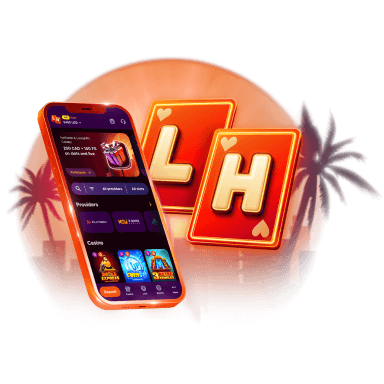
Lucky Hills is always with you!
Install the application and participate in thePlay with the App promo.
We use innovative installation technology directly from the browser. For any operating system.