
No. There’s no separate LuckyHills APK to find or sideload. We use PWA technology, so the install happens directly through Chrome. No file download, no security settings to change — just tap install on the site.
 Welcome pack for 2 depositsGet 2 000 AUD + 100 Free Spins on slots and Live
 Loyalty ProgramEnjoy cashback, no-deposit rewards, and more
LuckyHills App Download for Android — Full Setup Guide
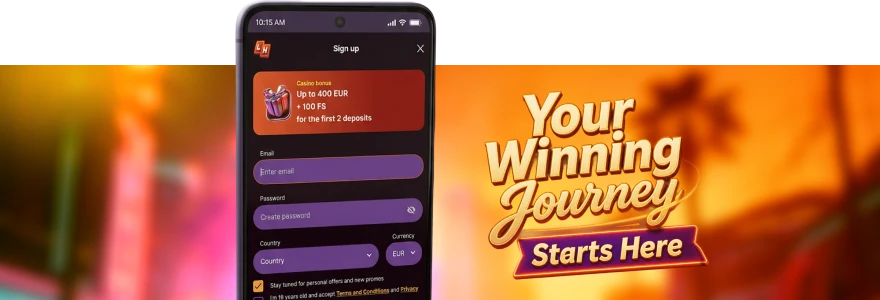
Getting the LuckyHills app for Android onto your phone takes about two minutes. No Google Play listing, no waiting for approval — just a quick install straight from your browser, and you’re in.
Does LuckyHills Have an Android App?
Yes. But here’s what you need to know upfront — the LuckyHills casino Android experience runs as a PWA, which stands for Progressive Web App. That means there’s no traditional APK file sitting in the Play Store. Instead, you grab it directly from our site, it installs to your home screen like any other app, and it behaves exactly the same way.
Why does that matter? Because you skip the Play Store entirely. No waiting on store approval, no worrying about your Android version being “too old” for a listing. The Lucky Hills casino app works on phone and tablet alike, and once it’s on your home screen, opening it is one tap.
We use PWA technology because it loads faster than a traditional app download and stays current without manual updates on your end.
How to Download LuckyHills APK on Android
Right, let’s be straight about terminology. When people search for the LuckyHills APK or LuckyHills casino APK, they’re usually just looking for the mobile version of the casino — and that’s exactly what we’re giving you here. There’s no separate APK file to hunt for. The process is browser-based.
Here’s what you need before you start:
- An Android phone or tablet with Chrome installed
- A stable internet connection
- An existing Lucky Hills account, or five minutes to register one
To get the LuckyHills app download started, open Chrome on your Android device and go to our website. You’ll see an install prompt appear — either as a banner at the bottom of the screen or as a pop-up. Tap it. Confirm. Done.
If the prompt doesn’t appear automatically, tap the three-dot menu in Chrome, look for “Add to Home Screen” or “Install App,” and follow the steps from there.
How to Install LuckyHills Casino APK — Step by Step
The install itself is short. Here’s the exact sequence:
- Open Chrome on your Android device
- Visit the Lucky Hills website
- Wait for the install banner — or use the Chrome menu to trigger it manually
- Tap “Install App” or “Add to Home Screen”
- Confirm the prompt
- Find the Lucky Hills icon on your home screen
- Tap it, log in, and you’re playing
That’s it. The whole thing takes under two minutes on a decent connection. No changing your Android security settings, no enabling “Unknown Sources” — because we’re not asking you to sideload anything. It’s a browser install, not a file download.
Once installed, your login details carry over from the desktop version. Head to Lucky Hills app login if you need a walkthrough on getting back into your account after install — the process is identical to the desktop login, just optimised for a touch screen.
One account covers everything. Your balance, your bonus progress, your bets history — all of it is right there the moment you sign in.
Common Issues When Installing LuckyHills on Android
Fair question if something’s gone sideways. Most install problems on Android come down to a handful of things.
The table below covers the most common ones and what to do about them:
Most Android install issues come from the browser being out of date or from the wrong browser being used entirely. Chrome is the one we support — if you’re on Firefox or Samsung Internet, the install prompt may not appear at all.
| Issue | Likely Cause | Fix |
| No install prompt appears | Wrong browser or Chrome is outdated | Switch to Chrome, update it, reload the page |
| Icon appears but app won’t open | Incomplete installation | Delete icon, reinstall from Chrome |
| Page loads but looks broken | Cache issue | Clear Chrome cache and reload |
| Login not recognised after install | Session didn’t carry over | Log in manually using your email and password |
| App crashes on launch | Low device storage | Free up space, then reinstall |
If none of those fix it, reach out to us via live chat or at support@luckyhills.club. For a full breakdown of known mobile issues, the Lucky Hills app problems page goes through each scenario in more detail.
What You Can Do on the LuckyHills Android App
Everything available on desktop is right there in the app. Here’s what that actually means for you day to day.
The app gives you access to our full games library — pokies sorted into categories like Hot Slots, Bonus Buy, Jackpot, Megaways, Crash Games, and more. Live dealer tables from providers like Vivo Gaming, LuckyStreak, and XPro Gaming load and run without issue on a mid-range Android. Bonus tracking sits in your Cashbox and updates in real time as you wager.
Promotions are fully accessible too. Install the app, log in, and check Profile → Bonuses — you’ll see 20 free spins credited automatically as a reward for setting up the app. No deposit needed for those. The x40 wagering requirement applies, and wins from those spins are capped, so check the full conditions on the LuckyHills app bonuses page before you start.
Deposits and withdrawals work exactly as they do on desktop. Visa, Mastercard, MiFinity, Bitcoin, and a dozen other options are all right there under the Cashbox menu.
Get the LuckyHills Android App Running in Minutes
If you’d rather skip the install entirely and just play through your phone’s browser, that works too. The Lucky Hills mobile browser version runs in Chrome without any installation at all — just open the site and start. The experience is nearly identical to the installed app, though you won’t get the home screen shortcut or the slightly faster load times that come with the PWA install.
For anyone on Android who just wants to check the site before committing to an install, that’s the quickest path. But honestly, the install is so fast it’s worth doing from the start.
The key things the Android app gives you over browser-only access:
- Home screen icon for one-tap access
- Faster loading after the first session
- Single login that stays active between sessions
- Identical game access, bonus access, and payment options as desktop
Frequently Asked Questions — LuckyHills Android App
Is there a LuckyHills APK file I need to download separately?
Does the LuckyHills casino Android app work on older phones?
Yes, generally. The PWA runs in Chrome, so as long as your Chrome version is reasonably current and your phone has enough storage to cache the app, it works. Very old devices with limited RAM may see slower load times. If you’re on iPhone instead, the LuckyHills iPhone guide covers the iOS setup separately.
Will I lose my account data if I reinstall the app?
No. Your account lives on our servers, not your device. Reinstalling just removes the home screen shortcut. Log back in with your email and password and everything — balance, history, bonuses — is exactly where you left it.
Can I claim bonuses through the Android app?
Yes. All promotions available on desktop are accessible through the app. The 20 free spins app install bonus is credited automatically after you install and log in — activate it in Profile → Bonuses within your account.
What’s the difference between the Android app and the mobile browser version?
The install gives you a home screen icon, faster load times after the first visit, and a persistent login session. The browser version works without installing anything. Both access the same games, the same balance, and the same promotions — it’s just convenience versus zero setup.
Thank you! Your review has been successfully published
Write review
First deposit bonus
100% bonus + 100 Free Spins

- Max bonus:1 000 AUD
- Min deposit:30 AUD
- Wager:x40
- Win limit:3 000 AUD
- 100 FS:20 FS daily for 5 days
User reviews