
Yes, completely free. There’s no cost to install the app on Android or iPhone — it’s a PWA that installs from your browser in under a minute. No APK file, no App Store purchase required.
 Welcome pack for 2 depositsGet 2 000 AUD + 100 Free Spins on slots and Live
 Loyalty ProgramEnjoy cashback, no-deposit rewards, and more
LuckyHills App Download — Free Install for Android & iPhone
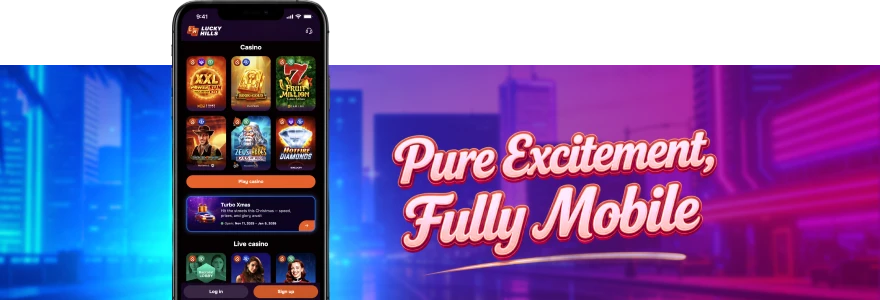
So. You want the LuckyHills casino app download sorted, and you want it done in two minutes. Good news — there’s no App Store, no Google Play, and no waiting around. We use PWA (Progressive Web App) technology, which means the install happens straight from your browser, and it works on Android, iPhone, Windows and macOS.
How to Download LuckyHills App — Step by Step
The process is the same regardless of your device — open a browser, go to our site, and install. That’s it. Before diving into device-specific steps, here’s a quick overview of what the install involves and what you get from it.
Once you have the Lucky Hills casino app added to your home screen or dock, you get one-time login — meaning you sign in once and stay logged in. Games load faster than through a standard browser tab, and you have direct access to bonuses and promotions without digging through menus.
The installation steps differ slightly depending on your operating system. Here’s a clear breakdown:
| Step | Android (Chrome) | iPhone (Safari) | Windows (Chrome) | macOS |
| 1 | Open Chrome | Open Safari | Open Chrome | Open Safari or Chrome |
| 2 | Visit LuckyHills site | Visit LuckyHills site | Visit LuckyHills site | Visit LuckyHills site |
| 3 | Tap “Install App” prompt | Tap Share button | Click install icon in address bar | Add to Dock |
| 4 | Confirm install | Tap “Add to Home Screen” | Confirm install | Confirm |
No file downloads, no APK sideloading, no permissions beyond what a normal website uses.
LuckyHills App Download for Android
On Android, the whole thing takes under a minute. Open Chrome, head to our site, and you’ll see an install prompt — tap it, confirm, and the Lucky Hills icon appears on your home screen.
That said — a couple of things worth knowing. Chrome is required; other Android browsers may not trigger the install prompt reliably. Also, if you’ve previously blocked install prompts from your browser settings, you’ll need to re-enable them first. For a full walkthrough with screenshots, check out our Lucky Hills Android guide, which covers every step including what to do if the install prompt doesn’t appear.
Once installed, the app opens like a native application — no browser chrome, no address bar. Just the casino. Log in with your existing account details, and you’re straight into the lobby.
LuckyHills App Download for iPhone
On iPhone, Safari is the browser to use. Chrome on iOS does not support “Add to Home Screen” in the same way, so stick with Safari for a reliable result.
Open Safari, go to our site, tap the Share icon at the bottom of the screen, then scroll down and tap “Add to Home Screen.” Give it a name if you like, then tap Add. The LuckyHills icon sits on your home screen from that point on. If you run into any trouble during the process — for example, the Share button not appearing, or the icon not saving correctly — our LuckyHills iPhone guide has a dedicated troubleshooting section for iOS-specific issues.
One thing to note: on macOS, installation is also supported via Safari or Chrome, and you can add it directly to your Dock the same way.
Is the LuckyHills Casino App Download Free?
Yes. Completely free. The LuckyHills app download free of charge is how it works for every player — no subscription, no fee to install, no paid tier. You install it, you use it. The only money that changes hands is what you choose to deposit and play with.
There’s also no “lite” version versus a paid version. What you get on mobile is the full casino — the same games, the same promotions, the same account. If you’d rather not install anything at all, you can play through our LuckyHills mobile browser version instead, which runs directly in your browser without any installation step. Both options are free.
Here’s a side-by-side so you know what you’re working with:
| Feature | PWA App (Installed) | Mobile Browser |
| Installation required | Yes (1 minute) | No |
| Home screen icon | Yes | No |
| Loading speed | Faster | Standard |
| One-time login | Yes | Session-based |
| Full game access | Yes | Yes |
| Bonus access | Yes | Yes |
What to Do After You Download the LuckyHills App
First thing — log in. If you already have an account, your email and password are all you need. If you’re new, registration takes three steps: email and password first, then personal details, then your address. The minimum age is 18, and one account per household applies.
Once you’re in, check your bonuses. Installing the app and logging in triggers 20 free spins automatically — no deposit needed. Those spins appear in Profile → Bonuses and must be activated from there. Wagering is x40, bet size is 0.10 AUD per spin. Worth grabbing before you do anything else. For the full picture on what’s available through the app, our LuckyHills bonus offers page has everything listed with conditions. And if something’s not working the way it should after install — the app not opening, games not loading, login not saving — head to Lucky Hills troubleshooting for step-by-step fixes.
What’s available once you’re logged in:
- All slots, jackpot games, Megaways and Crash Games from 92 providers
- Live dealer tables including Live Blackjack, Live Roulette and Live Baccarat
- Your full account — bonuses, bets history, VIP level, limits
- Deposits and withdrawals in AUD via Visa, Mastercard, crypto and more
Download LuckyHills App and Start Playing Today
Ready to go. The install is done, your account is set up, and bonuses are activated — so what’s actually worth playing first? We’d say go straight to the Bonus Buy or Hot Slots categories if you want something with pace. If live dealer is more your thing, the Live Lobby has tables from LuckyStreak, Vivo Gaming and XPro Gaming running around the clock.From the moment you tap the icon on your home screen, Lucky Hills app login keeps you signed in so you’re back in the lobby in seconds — no re-entering credentials every session. Deposits start from 10 AUD with Neosurf or most crypto options, and withdrawals process within 1–24 hours via e-wallet. That’s the full setup — installed, funded, and playing.
Frequently Asked Questions — LuckyHills App Download
Is the LuckyHills app download free for Android and iPhone?
Do I need to create a new account after installing the app?
No. Log in with your existing LuckyHills account details. If you’re new, register directly through the app — it takes three steps and defaults to AUD as your currency.
Why isn’t the install prompt appearing on my Android?
This usually means Chrome isn’t your default browser, or install prompts have been blocked in browser settings. Switch to Chrome, check site settings, and try again. Our Android guide covers this in detail.
Do I get any bonus just for installing the app?
Yes — 20 free spins, no deposit required. Once you install and log in, the bonus appears automatically in Profile → Bonuses. Wagering is x40 at 0.10 AUD per spin.
Can I use the LuckyHills app on a tablet or desktop?
Yes. The PWA works on tablets, Windows desktops and macOS. On Windows, install via Chrome. On macOS, use Safari or Chrome to add it to your Dock — both methods are supported.
Thank you! Your review has been successfully published
Write review
First deposit bonus
100% bonus + 100 Free Spins

- Max bonus:1 000 AUD
- Min deposit:30 AUD
- Wager:x40
- Win limit:3 000 AUD
- 100 FS:20 FS daily for 5 days
User reviews