
No — we use a PWA instead. Install it directly from Safari by tapping Share, then “Add to Home Screen.” Takes about 30 seconds and works identically to a native app on your home screen.
 Welcome pack for 2 depositsGet 2 000 AUD + 100 Free Spins on slots and Live
 Loyalty ProgramEnjoy cashback, no-deposit rewards, and more
LuckyHills iOS — How to Get the App on Your iPhone
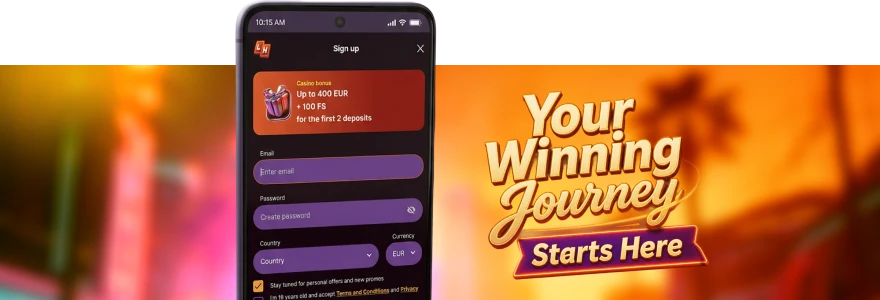
You’re on your iPhone, you want to play, and you’re trying to figure out how the LuckyHills app actually works on iOS. No App Store involved, no lengthy install process — here’s exactly what you need to know before you tap anything.
Does LuckyHills Have an App for iPhone?
Yes. Not a native App Store download, but something that works just as well in practice. We run a PWA — a Progressive Web App — which you install directly from Safari in about 30 seconds. No Apple approval process, no waiting for updates to push through, no storage hogging your phone with a fat install file.
The LuckyHills casino app sits on your home screen like any other app, opens instantly, and keeps you logged in after the first sign-in. That means you tap the icon, you’re in — no typing your email every single time. It’s the same account, same balance, same bonuses as the desktop version. Nothing is cut down or locked off because you’re on mobile.
How to Install LuckyHills on iOS — Step by Step
Three taps and you’re done. Here’s the exact process for iPhone:
- Open Safari on your iPhone (must be Safari — Chrome won’t trigger the install prompt on iOS)
- Go to the Lucky Hills website
- Tap the Share button at the bottom of the screen
- Select “Add to Home Screen”
- Confirm the name and tap “Add”
That’s it. The icon appears on your home screen immediately. If you’re coming from Android, the process is slightly different — we cover that separately in our Lucky Hills app download guide for all platforms.
One thing worth noting: you need to be in Safari specifically. A lot of people try this in Chrome on iPhone and wonder why the option isn’t there. Safari is the only browser on iOS that supports the “Add to Home Screen” PWA install — that’s an Apple restriction, not ours.
LuckyHills Casino App on iPad — Does It Work?
It does, and honestly the iPad experience is one of the better ways to play. The layout scales properly to the larger screen — live blackjack tables in particular look sharp on a 10-inch display. We haven’t locked anything off for iPad users; every game category, every payment method, every bonus is accessible.
The install process on iPad is identical to iPhone: open Safari, tap Share, tap “Add to Home Screen.” If you prefer to play through the browser rather than install, the LuckyHills mobile browser version runs directly in Safari without any install needed — just bookmark it and you’re set. Both options work fine; the installed PWA version does load noticeably faster after the first visit because it caches locally.
What to Expect From LuckyHills on iPhone
Real talk — the experience holds up. Games load quickly, the lobby is the same one you’d see on desktop, and touch controls work exactly as you’d expect for pokies and table games. Live dealer games stream without the kind of stuttering you sometimes get on mobile casino sites that haven’t optimised their video delivery.
You’ll log in once using the LuckyHills app login screen, and after that the PWA keeps your session. Deposits work through Apple Pay if you’ve linked a Visa or Mastercard — minimum 20 AUD, maximum 500 AUD per transaction via Apple Pay. That’s probably the fastest way to top up on iPhone without switching to another payment method.
Here’s a quick look at what’s accessible from the iOS version:
| Feature | Available on iOS |
| Full game library (7000+ titles) | Yes |
| Live dealer tables | Yes |
| Deposits via Apple Pay | Yes |
| Bonus activation | Yes |
| Profile and KYC verification | Yes |
| Withdrawal requests | Yes |
Nothing is gated behind the desktop version. What you see on iPhone is the full thing.
Add LuckyHills to Your iPhone Home Screen Now
If you’ve already installed the app and logged in, there’s one more thing worth doing before you play: check Profile → Bonuses. When you install and log in for the first time, 20 free spins are automatically awarded — no deposit needed, just activate them in your Bonuses tab. Wagering is x40, bet size is 0.10 AUD per spin.
That’s a genuinely useful bonus to grab before you put any real money in. Check the available Lucky Hills bonus offers while you’re there — the welcome package and weekly promos are all accessible from the same screen, so it’s worth a minute to see what’s active.
Troubleshooting LuckyHills App on iOS
Sometimes things don’t go as expected. Here’s what usually causes issues on iPhone and how to sort them:
- App won’t install — You’re probably using Chrome. Switch to Safari and try again.
- Screen goes blank after tapping the icon — Clear Safari cache: Settings → Safari → Clear History and Website Data, then reinstall the PWA.
- Games won’t load — Check your iOS version. Older iOS builds (below iOS 14) can have PWA compatibility issues. Updating usually fixes it.
- Logged out unexpectedly — This can happen if you cleared Safari data. Re-enter your credentials once and the session will persist again.
- Bonus not showing after install — Head to Profile → Bonuses and manually activate it. It won’t appear automatically in your balance until you tap “Activate.”
For anything beyond these common fixes, our LuckyHills troubleshooting guide covers every known iOS error with step-by-step solutions, or contact our support team directly via live chat — usually a response in a few minutes.
Frequently Asked Questions — LuckyHills iOS App
Is there a LuckyHills app in the Apple App Store?
Does the LuckyHills iOS app work on older iPhones?
Yes, generally. iOS 14 and above works without issues. Older versions may have minor loading problems. If games aren’t loading, check your iOS version first and update if possible. If you’re on Android instead, the Lucky Hills Android guide covers the setup process for that platform.
Do I get any bonus just for installing the app on my iPhone?
Yes — 20 free spins, no deposit required. Install the PWA, log into your account, and activate the spins in Profile → Bonuses. Wagering is x40 on any winnings, bet size is fixed at 0.10 AUD.
Can I deposit using Apple Pay through the LuckyHills iOS app?
Yes. Apple Pay with Visa or Mastercard is available. Minimum deposit is 20 AUD, maximum is 500 AUD per transaction. It’s one of the fastest deposit options available on iPhone.
Will my account and balance sync between iPhone and desktop?
Yes, completely. It’s the same account regardless of which device you use. Log in on iPhone, play a few rounds, switch to desktop — your balance, bonuses, and bet history are all exactly where you left them.
Thank you! Your review has been successfully published
Write review
First deposit bonus
100% bonus + 100 Free Spins

- Max bonus:1 000 AUD
- Min deposit:30 AUD
- Wager:x40
- Win limit:3 000 AUD
- 100 FS:20 FS daily for 5 days
User reviews